Posts

How to Install and Configure LAMP on CentOS 7
Image
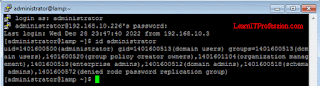
 Installation and Configuration of LAMP on CentOS 7 Lamp is an abbreviation of Linux, Apache, MySQL and PHP. Linux is an operating system, here we are using operating system for this lab scenario is CentOS Linux 7 (Redhat Linux 7). Apache is a web server also called HTTP server that is a open source, Apache is developed by open community of developers. Here we are installing mariadb server for database that is fork of  MySQL relational database, mariadb is a open source software that have a General Public License. PHP is Hypertext preprocessor, php is a opensource scripting language that is use for web development. PHP files contains CSS, HTML, java script and php code.  This lab is perform on domain authenticated CentOS Linux 7 machine. Domain user "administrator" is use for the complete installation and configuration of LAMP server. Login with the domain administrator, to verify this is domain administrator type the below mention command. id administrator To clean all t...

Learn IT Profession

Top 5 Topics: 1.  What is SELinux in Red Hat . >> Read 2. GITLAB Integration with Active Directory.. >> Read 3. Backup and Restore Gitlab Omnibus on CentOS 7.>> Read 4. Installation and Configuration of DNS Server For OpenLDAP Server on CentOS 7/ Red Hat 7.>> Read 5.  Installation and Configuration of OpenLDAP Server with DNS Server on CentOS 7. >> Read   Centos Linux 7:             1. Installation of CentOS 7.  >> Read         2. Installation of Centos 7 with LVM.  >> Read      3. Installation and Configuration of OpenLDAP Server with DNS Server on CentOS 7.  >> Read      4.  Installation and Configuration of DNS Server For OpenLDAP Server on CentOS 7/Red Hat 7.  >> Read      5. DNS Server Configuration on CentOS Linux 7 Client Machine/Red HAT 7 Client Machine.  >> Read ...

How Install and Configure Xming Server with Putty on Centos 7

Image
How Install and Configure Xming Server with Putty on CentOS 7 Xming is a open source software or emulator that is used to open Graphical Linux program with the help of putty on Windows base operating system. Xming is also knows as X11 display server for Microsoft Windows operating system. To complete this setup, we install Xming server on Windows operating system, configure putty to allow xming server to open Graphical Linux application and install some packages on Linux operating system that is use to allow graphical Linux application open with the help of Xming windows base application by use of Putty. Xming software installation setup is very simple on windows base operating system, just download the software by search on google. Double click on the installation setup and choose all default setting then click install for complete the installation of Xming setup on Windows base operating system. Below is image of Xming application installation default setting on windows base operatin...

What is SELinux in Red Hat

What is SELinux in Red Hat SELinux stands for Security enhance linux, selinux is an additional layer of security in Linux operating system. SELinux is use to protect the data of system services, therefore never disable or configure SELinux into permissive mode. SELinux is a set of rule that it is use to secure the Linux operating system processes, directories, files and ports. SELinux have a security lable on process, files and ports that is called SELinux context. The context are user, role, type and sensitivity. Lets take an example of context, for example the web server "apache". The context end with _t, in linux web server (apache) SELinux context is httpd_t and linux web server apache files and directories available in /var/www/html that context is httpd_sys_content_t. The linux web server (apache) port SElinux type context is httpd_port_t. For Linux web server (apache), selinux have a policy rule to allow file and directories with context in /var/www/html. if file and d...

Top Command in Linux

Image
What is Top Command in Linux Definition: Top command is use for to monitor the processes in Linux operating system, actually top is a task manager similar to windows operating system. Top is most useful system administrative command to monitor the process. The top command is use to view the real time process of the system. Their are different version of top in different operating system.Top in Unix version was written by William LeFebvre since 1984, in Linux top is procps-ng group of tools that was written by Roger Binns, in solaris top is prstat program and in windows top is a task manager. By the use of top command in Linux Operating System user's can view the real time process PID, USER, PR, NI, VIRT, RES, SHR, %CPU, %MEM, TIME and Command , detail information of each are mention below. PID: PID is a process id of each running task. The task may be audit, snmp and etc. USER: User is shows the all users that is owner or custodian of the running process. PR: PR is the priority ...